Webcam Chat Tips for Talking to Strangers Online
Use these webcam chat tips before talking to strangers: check your background, protect personal details, start with simple questions, and leave when needed.
The first ten seconds of a webcam chat set the tone. On live video there is no profile to hide behind and no time to draft the perfect opener — another person is looking back at you in the moment. That immediacy is what makes webcam chat with strangers feel more alive than texting, and it is also what makes new users freeze.
The good news: not being awkward on camera is a skill, and a learnable one. It comes down to two things — a setup that makes you easy to look at, and a handful of openers that work on almost anyone. Here is both.
Get the camera, lighting, and background right first
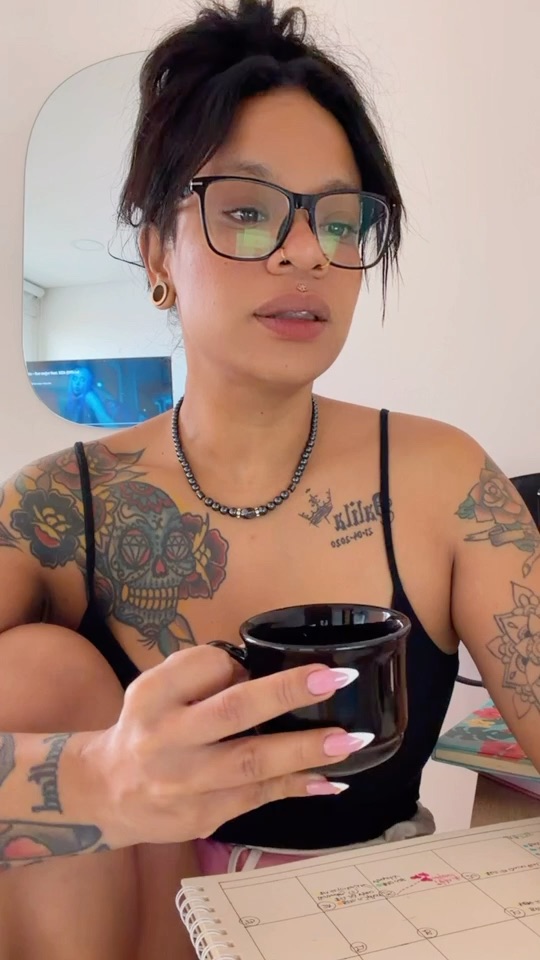
Half of "awkward" has nothing to do with what you say — it is a dark, grainy, badly-angled feed that makes the other person skip before you finish saying hi. The fix takes two minutes. Light your face from the front: sit facing a window or put a lamp behind your screen, never behind your head. Raise the camera to eye level — a laptop on a stack of books beats a lens staring up your nose. And glance at your background: a tidy wall, a shelf, a poster says "normal person"; a chaotic room says skip.
Audio matters more than people think, too. A quiet room and a clear voice keep a conversation alive far better than a sharp picture with echoing sound. Test everything once before your first match of the day — the goal is that when the chat starts, the only thing the other person notices is you.
One more reason to check the frame: a tidy background also keeps personal details — mail, documents, a window view that shows your street — out of sight from someone you have not met yet.
Open with the scene, not with a script
The strongest icebreakers on webcam chat are sitting in plain sight — literally. Live video hands you context that texting never does: you can see their room, their pet walking past, the poster over their shoulder, the band shirt they are wearing. "Is that your cat?" tends to land better than any rehearsed pickup line, because it proves you are actually looking and actually present.
A few openers that usually work: comment on something visible ("That poster — are you into sci-fi?"), ask an easy either/or question ("Coffee or tea person?"), or just be honest about the moment ("This is my third chat today and you look the friendliest"). What they share: they are specific, they are answerable in one sentence, and they hand the other person an easy way to keep going.
Keep it flowing: react, ask, share — in that order
Conversations on camera stall when one side interviews and the other side answers. The rhythm that works is react–ask–share: react to what they said (a laugh, a "no way"), ask the natural follow-up, then offer something of your own before asking anything else. That loop makes a stranger feel like a conversation instead of an interrogation.
Silences happen; on video you can survive them with a smile in a way text never allows. And when a chat genuinely has no spark, skipping is not failure — it is the format working as designed. Every skip is a fresh start with a new person, which is the appeal of random webcam chat: the next conversation is one click away.
Keep personal details out of the conversation
Easy openers should never turn into easy oversharing. Keep your full name, phone number, home address, workplace, and social handles to yourself with someone you just met. A friendly conversation does not need any of that, and there is no obligation to explain why you are keeping it private.
Be cautious, too, about anyone who pushes quickly to move off-platform or asks for personal details early. There is no rush to share more than you want — you set the pace.
Respect boundaries and use Next, Block, and Report
Webcam chat works on mutual comfort. Your camera is yours, so you are never obligated to show more than you want, and you should not pressure the other person either. If a session stops feeling good, leaving is a complete answer.
That is what the controls are for. Next ends the current session and finds someone new, Block keeps a specific person from matching with you again, and Report flags behavior that breaks the rules. Use them freely and early — for a closer look, see our guide on how Next, Block, and Report work.
Ready to try it?
Tips only become skills with practice. VibeChat matches you on live video when another person is available — account-based access plus reporting and moderation tools that help reduce fake or abusive sessions, Next, Block, and Report always on screen, and free trial credits for new users so your first conversations are covered. Some features may require Coins or VIP later.
Set up your light, pick your favorite opener from this guide, and press Start to put these tips to work.
Ready to start video chatting?
Join VibeChat with free trial credits and try browser-based live 1v1 video chat when you want a more social way to spend time online.
Common questions
- How do I start a webcam chat without being awkward?+
- What are good icebreakers for webcam chat with strangers?+
- Why do people skip me so fast on webcam chat?+
- What should I avoid sharing in a webcam chat?+
- Is webcam chat free on VibeChat?+